Intro
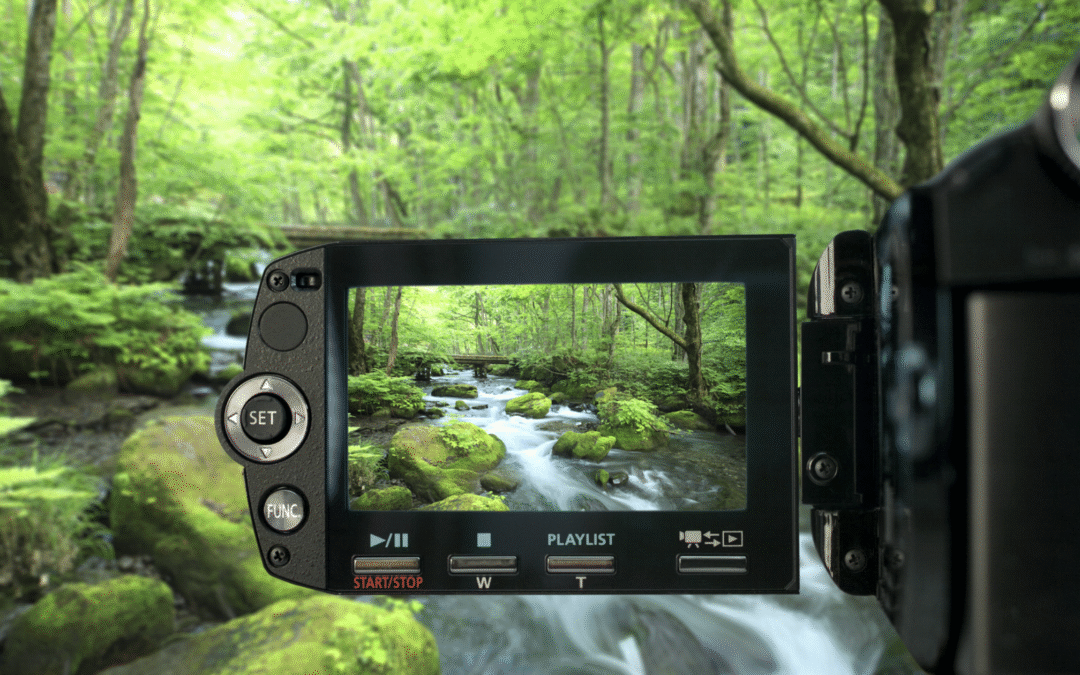
I recently had a client who wanted to implement nature live streaming cameras for different locations on their property. The client runs an amazing spa and retreat resort in a remote location. More specifically, they wanted share on their website views of at least one waterfall and maybe some other beautiful nature scapes. In addition, a national journal/magazine also wanted to live stream it. An obviously wonderful and exciting idea, but not one without its challenges - connectivity, power, and software to name a few. Interestingly enough, the hardest part of the project turned out to be finding enough outdoor live streaming cameras to recommend - not to mention an outdoor microphone as a possibility.

If you think you know all you need to know, or just want to skip past my witty and insightful story about all the challenges and priorities I worked through and established, feel free to skip to the "Recommended Camera" section below. Although, I would still encourage you to read the whole post. You might uncover some important information which could be useful in one of your peculiar projects, or hopefully, I offer something helpful which you hadn’t thought about or taken into consideration before. So follow on with me and my story of “Streaming Internet Cameras in the Middle of Nowhere!” Just actually made that up now. Kind of catchy.
The Background Info
Just briefly, I’ll provide additional background of my client’s goals in this project. We already know they were “remote.” Let’s say, in another country and continent almost halfway around the world from me. Also, to deliver the serene and relaxing natural environment they wanted for their guests, the location is also more or less in the middle of nowhere of this far away country. Okay, I’m making it sound more dramatic than necessary. At least this country was industrial and had a good infrastructure. Regardless, the client did have to rely on satellite Internet - in this case StarLink, but power and cellular were relatively abundant. I say “relatively’ because they do tend to get some varying intensities of weather but mostly rain and wind. Their location also bordered one of the nation’s wonderful national parks. So yes, secluded.
As a result, they needed something that could not only withstand the elements, but also allow them to place the cameras in different locations around their property. As you may already know, some of the most beautiful things in nature aren’t always conveniently located near power or network outlets. This case was no different. In addition, they needed a camera that would take great video of natural settings in varying light and weather. The jury was still out on whether they would try to pick up sound. It could be great to hear a little waterfall and the birds in the forest, but it prompts a new batch of criteria to figure out for the microphone - directional sound pick up, sound quality, endurance, and/or the ease of integrating it with the video. In addition, since this was a resort, the idea of privacy of the clients and visitors was something to always consider. As long as the location was relatively remote from the main parts of the resort and the microphone could focus on a small area rather than capturing every sound around it, such as people walking by behind the camera, it seemed like it would be okay - at least legally. Although privacy concerns diminished the more remote the location was, the greater the challenge became for finding equipment capable of streaming these scenes to their website.
But hey! That’s what IT Administrators are for (cue the dramatic music). To bring connectivity, capability, and collaboration to places it has never been before!! So no matter where people shall be, they will know the joys and wonders of connecting with people and business all over the world!

Okay, got a little carried away there - again. Hey stop the music! It won’t happen again - hopefully. We can now proceed.
Suggested Criteria for Camera Capabilities
After discussing the project with them in detail, I came up with a list of requirements/suggestions which I thought best fit their goals and needs. As I’m sure you’ll notice, I I’ve suggested security camera models, and this is mainly due to the fact that they are really the only ones available that offer the durability of working outdoors. I’ll discuss the criteria now:

No less than 8 MP camera - To ensure the best quality and most accurate image of the natural scene.
-
-
- While I feel like this number is actually a “low” minimum, I found a lack of many options at this level or higher, or at least financially viable options.
-
Go for 4K for the best reproduction of the nature scene - of course it helps to have a 4k capable monitor/TV.
-
-
- For budget reasons and availability, you might have to settle for a lower resolution. Not all is lost because, a 2k or Ultra HD model camera might be able to reproduce a similarly rich picture/video as 4k if it has a high MP lens.
-
The higher the “fps” (frame rate per second) the better - up to a point. Although, depending on your choices in the first two suggestions, you could find your options limited for higher fps.
-
-
- Most of the security cameras I’ve seen usually work at a woeful 15 fps. I don’t need to go into much detail as to why this would be a problem for video streaming a nature scene. We’ve all seen the “traditional” quality of security camera footage. Of course times are changing and more are making the upgrades. Regardless, I would strongly recommend 30 fps, but concede that 25 fps might be enough - and have more availability.
- For more dynamic nature scenes, such as a waterfall, the higher fps will allow a more “natural,” realistic view of the waterfall - see the droplets etc. Otherwise, the falling water will look more “blurred” or smoothed over. In some still pictures, this could be intentional for effect, but unlikely in this streaming scenario.
- A small word of caution, however, for going for the ultimate, highest fps possible that exists in this world. If your network and video rendering software aren’t top notch, whether built into the camera, your laptop, or cloud streaming service, you could see periods of pixelation or stuttering in the picture. If you’ve watched some video blogs on YouTube, you might have noticed something similar to this at times.
-
PTZ (Pan, Tilt, Zoom) are usually in the “nice to have” category. I think that it completely depends on your “target” scene and how forgiving the environment is for physically setting up the camera. If your target/subject allows for a fairly simple setup, like a plotted plant on your balcony, then you’re probably fine with taking a pass on PTZ as a whole. My general thought on nature scene streaming is that the location, more likely than not, will present several challenges to setting up all of your gear to get the right shot. So, I would rate PTZ as more than just a “nice to have,” but if after looking everywhere for the quality camera you need only to learn it didn't have PTZ, then I wouldn’t necessarily say that it would be a deal breaker. To delve a little more in what to keep in mind about PTZ, I split these up into two different subjects: Pan & Tilt (PT) and Zoom (Z).
-
-
- PT - If your target and physical surrounding allow you to basically “set it and forget it,” then PT would be a “luxury” add on. Some cameras do offer “manual” Pan and Tilt which might be more preferable than nothing. You just need to secure the base of the camera and then adjust the lens manually to properly frame the target in the video.
- However, if you’re setting up in an area that is “target rich” and you might want to focus on different spots throughout the year, then PT (and Z) could be helpful in quickly changing the framed target. Although If, under the same circumstances, you had to setup your camera in a "not so convenient spot" or a place which you couldn’t safely access more than a few times, then obviously, Pan/Tilt and Zoom would be a necessity.
- PT - If your target and physical surrounding allow you to basically “set it and forget it,” then PT would be a “luxury” add on. Some cameras do offer “manual” Pan and Tilt which might be more preferable than nothing. You just need to secure the base of the camera and then adjust the lens manually to properly frame the target in the video.
-

-
-
- However, if you’re setting up in an area that is “target rich” and you might want to focus on different spots throughout the year, then PT (and Z) could be helpful in quickly changing the framed target. Although If, under the same circumstances, you had to setup your camera in a "not so convenient spot" or a place which you couldn’t safely access more than a few times, then obviously, Pan/Tilt and Zoom would be a necessity.
-
-
-
- Z - Before I jump into the logistical considerations with respect to Zoom, I must bring up an important thing about Zoom or variations there of - the difference between Digital Zoom and Zoom.
- First I’ll knock out “digital zoom” which is “easy.” This just means that the camera is only using software to “enlarge” the thing on which the lens is focussed. The quality of digital zoom will vary based on a lot of factors, but in the end, unless you’re ready to fork over the cash, it won’t be as good as a traditional lens zoom, which I’ll get to now.
- Traditional zoom is just like what you think of in a traditional camera. It uses physical contoured, specially manufactured glass to twist, and what-not, to bring your target closer. Of course like with digital zooming, the quality can depend on some factors, especially the quality of your camera (expensive vs. cheap). However, generally when looking at a target/subject at about 50 feet/15 meters (maybe even up to 100 ft), almost any traditional zoom will be fine, and better than digital zoom in this environment - maybe just my opinion.
- Z - Before I jump into the logistical considerations with respect to Zoom, I must bring up an important thing about Zoom or variations there of - the difference between Digital Zoom and Zoom.
-


External Microphone capability - this is totally optional depending on the project, and before proceeding, there are other things to consider as I’ll discuss this later in “The Microphone” section.
Producing/Embedding Live Stream on Internet/Website - There are various solutions for this part of the project which completely depend on the conditions of your situation, the equipment you use, your network, and your budget. Some cameras you purchase will have management/recording software included, and you can “easily” embed that video into your website. If you want the video on your website, it depends on your web hosting provider, and again, your equipment. Either through the camera’s or your web hosting platform, the necessary software/services will be included, and they will more than likely suffice for your purposes. If you think you want to “upgrade” this part of the project there are many available solutions that range from free to very expensive. With respect to this post and project, I won’t go into much detail on this part, mainly because of all these factors and the possible “builtin” services.
-
-
-
- With that said, I would pay close attention to the details (small print) of the model video camera you are considering. If some indicate that it requires additional “premium sounding” software or additional equipment which you can only get from the specific vendor, then it is in your best interest to keep looking. They are just trying to up-sale you, and the “proprietary-ness” of the camera could prevent you from using any other accessories which could help you in your project - especially when those things are less expensive than accessories the camera offers or allows.
-
-
Network & Power

In addition to powering your devices, probably the most important and “limiting” factor of a live nature video streaming project will be your network. For my client, I had some more specific recommendations which were based on their available equipment and service providers. Below, I’ve tried to generalize some of the information and suggestions. I’ll start with the easiest and maybe most ideal network setup specifically for remote, nature live streaming.
So, the “easiest” solution would be WiFi. While this may not sound like the most “ideal” connection when talking about moving quality video data through the network, it is ideal in this case due to the remote locations of the projects. Here are some considerations:

When talking wireless IP based, digital recording cameras, it's best if they are dual band capable. Although as you read on, you'll begin to see the many factors that may ultimately determine which band you will use. Most security cameras want to run on the 2.4 GHz wireless band because usually manufacturers want to ensure their camera data doesn’t take up much of the bandwidth and slow down the 5 GHz band of your network. That's a given if your network is like that of most of those today that support dual bands. They also know that as a security consideration, many want to keep cameras and other “always-on” network appliances/devices, or Internet of Thing (IoT) devices, are kept separate from your normal informational and user data traffic. Also, the 2.4 GHz band can cover larger distances than the 5 GHz band. Of course, the 5GHz band provides faster “speeds” for data across the network.
Definitely will want Dual Band WiFi capability - 2.4 GHz & 5 GHz
-
-
- If you are trying to take quality video, and audio, you will have to move a little larger, and more numerous packets of data across the network. So if your setup allows it and if you’re close enough to the wireless router or access point, you’ll want to connect to the faster 5 GHz wireless band. However, if your location is a little further out from any Access Points, then you might have to settle with 2.4 GHz.
- If you are thinking things will be better with WiFi 6 or WiFi 7 capability, they may carry more data, but their coverage area is even less than WiFi 5. Devices like security cameras will probably stay with the 2.4 GHz band as it provides the furthest coverage.
-
Cellular?
Some cameras have cellular capability, but these particular cameras are not well suited for continuous live streaming. Many are used out in nature, but they only record for short periods of time when their sensors are triggered by wildlife. That said, if your location for your video streaming target is far into the woods and away from many things, cellular will likely be your only choice - if there is enough coverage.
-
-
- There are a few out there that offer cellular and WiFi combined, which is great for security cameras - for security and dependability, but it actually causes some issues and may ultimately increase your costs to get around those issues. This part gets pretty complex. So please understand that I’m going to explain this in a very broad and simplified way and that there are many details and possible workarounds which you’ll have to consider. Simply said, when a device changes its network connection, in this case from WiFi to cellular, that device is seen as a totally separate or unique device to which ever new network it connects. So any system or apparatus you have setup to get that recorded video data from the camera out to the internet is also unique to that camera. Essentially, you would need two separate systems setup to work with the camera, one over WiFi and the other over cellular. Again, this is very simplified and could be solved by replacing certain parts of your apparatus, but there are too many variables which would be specific to your situation for me to discuss here.
-
The second solution to connecting the camera to the Internet would be “Ethernet.” Some might say Ethernet is even more ideal than WiFi because it means more stable and “secure” connections which allow for greater amounts of and faster transport of data. Yes, this would be the best if you have the infrastructure already in place, and you can simply just plug your camera into a nearby POE Ethernet network outlet. As many might know, “POE” stands for “Power Over Ethernet,” meaning the POE capable devices get their power and data connection through one cable connection (Ethernet). Unfortunately if you wanted WiFi capable outdoor video cameras for streaming, I’m sorry to say that of the cameras I came across that relatively hit some of the other criteria above were predominantly Ethernet based connectivity. With that caveat, I included WiFi and Ethernet connected cameras. Since my top recommendation was one that only utilized Ethernet, I also explained what options were available to use an Ethernet-based camera. Most of these suggestions are below:

For at least one location, it was relatively near to a structure from which you could run an Ethernet cable to the camera. However, to do so would have placed an Ethernet cable across one of the busiest parts of their business - the main front door and client (and luggage) drop-off. Of course, they could choose to bury the appropriate type of cable for its protection and prevent any accidental trips over the cable. Also, the distance the Ethernet cable would have to cross to connect the camera to the network would be at the “top-end” of its suggested distance limitation (up to 350 meters with a Cat7). All this means is that the Ethernet could no longer operate at its peak performance and even the connection might become more unstable causing data to never reach its destination.
-
-
- Another possibility, but not likely a good one, would be to setup an outdoor wireless Access Point near the camera but still within range of the established WiFi network, and let it connect via the Mesh network configuration. While “Mesh” can provide decent wireless access, it is not always the greatest or as reliable at its furthest edges of the network. I guess a slight alternative would be to setup an Access Point a little closer to the final camera device but still within a decent range of a physical Ethernet connection - most preferably using POE, which means the Access Points gets its network connectivity and power over that one Ethernet cable. Then the camera could connect via WiFi to that Access Point. However, I think that is still more work than necessary to establish a decent to good, stable network connection - as discussed below.
- The likeliest candidate to connect the video streaming camera to the network would be to use a Point-to-Point (PTP) connection, but it too is not without some limitations. For this you would need two PTP devices: one most likely on the roof of the main building housing the main network equipment (the core), and then second one near the camera location and close enough to run a relatively short Ethernet cable to the camera - via a POE power supply of course. “Easy peasy” right? Well, the limitation is the placement of the two PTP devices. They have to have an uninterrupted Line of Sight between the two. A few leafs or branches might be okay, but the more objects in the Line of Sight means the less stable and least performance you can expect from the connection. I will also add that these devices can be a little more expensive than an additional Access Point. So, it is up to you weigh the pros and cons of the connection options which will fit the client's budget.
-
If you’re close enough to run Ethernet, that is obviously the best choice, but probably the second best, but more expensive one, would be the PTP setup. if there aren’t too many objects which might obstruct the Line of Sight, it will provide the most stable and best data throughput of the other options mentioned.
The Recommended Cameras
Here is the list of streaming video cameras in order of most recommended:
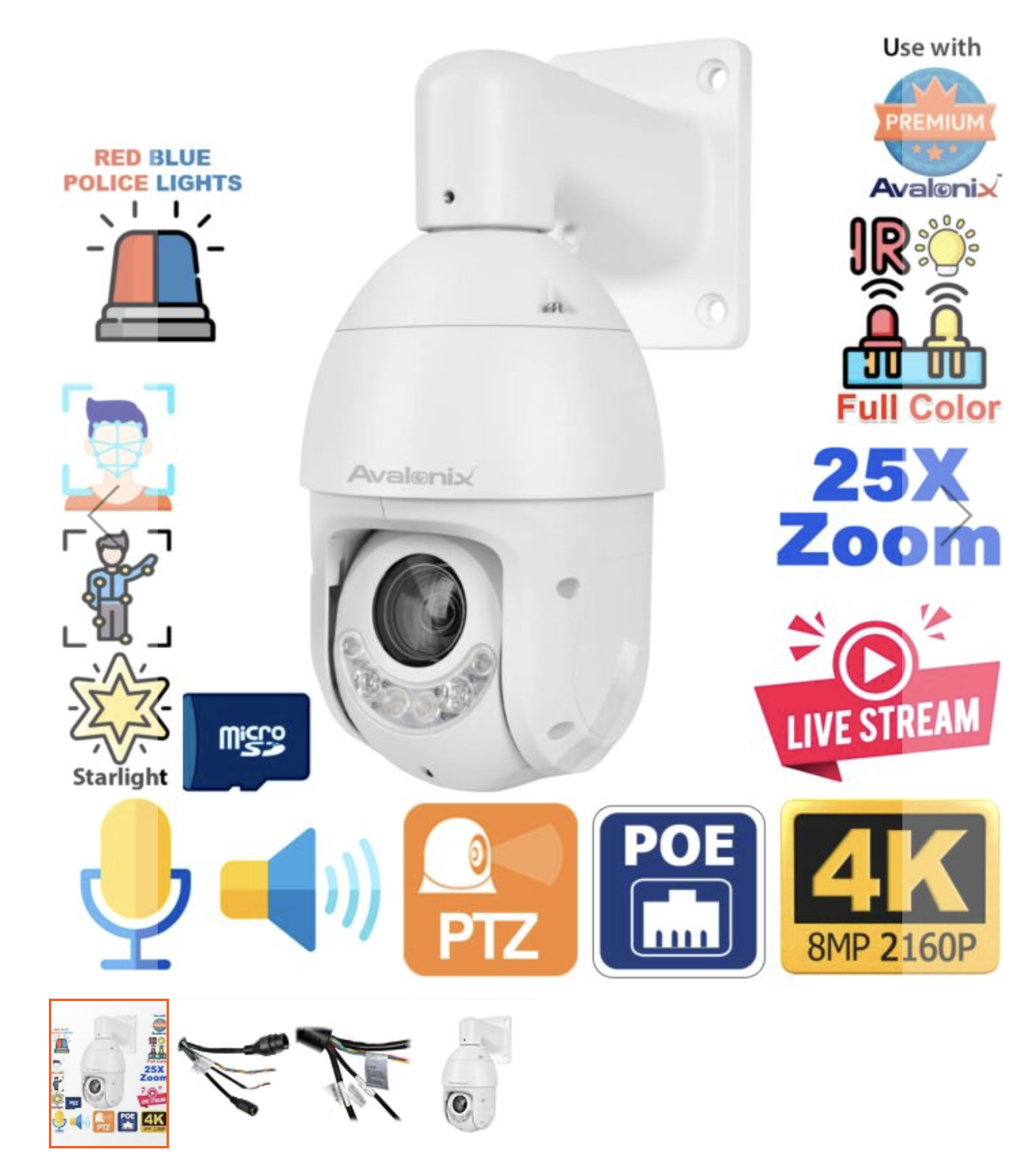
Avalonix 4K PTZ Camera 25X Zoom
Price: $899.99
The Pros:
- Outdoor 4K PTZ with Color Night Vision
- Starlight Video Technology for color video in low light
- Live Stream Support for YouTube, Vimeo, Twitch
- 8MP Image Sensor for 4K Resolution Video
- Fluid 30fps 4K Video
- 25x Optical Zoom / 16x Digital Zoom
- Infrared Night Vision distance up to 328ft
- White Floodlight LED up to 164ft
- Active Deterrence Speaker and Red/Blue Strobing Lights
- Built-in in Mic and Speaker
- H.265 & H.264 Video Encoding
- H.265+ encoding provides up to 70% savings in bandwidth when used with a H.265 IP camera
- AI Video Analytics supported with Avalonix Premium NVRs
- Tripwire
- Intrusion Box
- Abandoned Object Detection
- Missing Object Detection
- Face Detection
- Smart Motion Detection (SMD) - Human body and Vehicle Filtering for Video Analytics
- Smart Motion Detection (SMD) - Human body and Vehicle Filtering for Video Analytics
- Auto-tracking for following persons or slow moving vehicles in low-traffic areas
- Up to 300 Presets, 8 Tours, 5 Auto Scans, 5 Patterns
- Endless 360° Panning MotorIP66 Outdoor Weather Proof Rated
- MicroSD Slot supports up to 512GB (not included)
- 12V DC or PoE+ Power InputWall mount included
- Optional ceiling and pole mounts available
The Cons:
- The price
- Doesn’t have WiFi, but I’ll mention some options for setup.
- More options than need or will use.
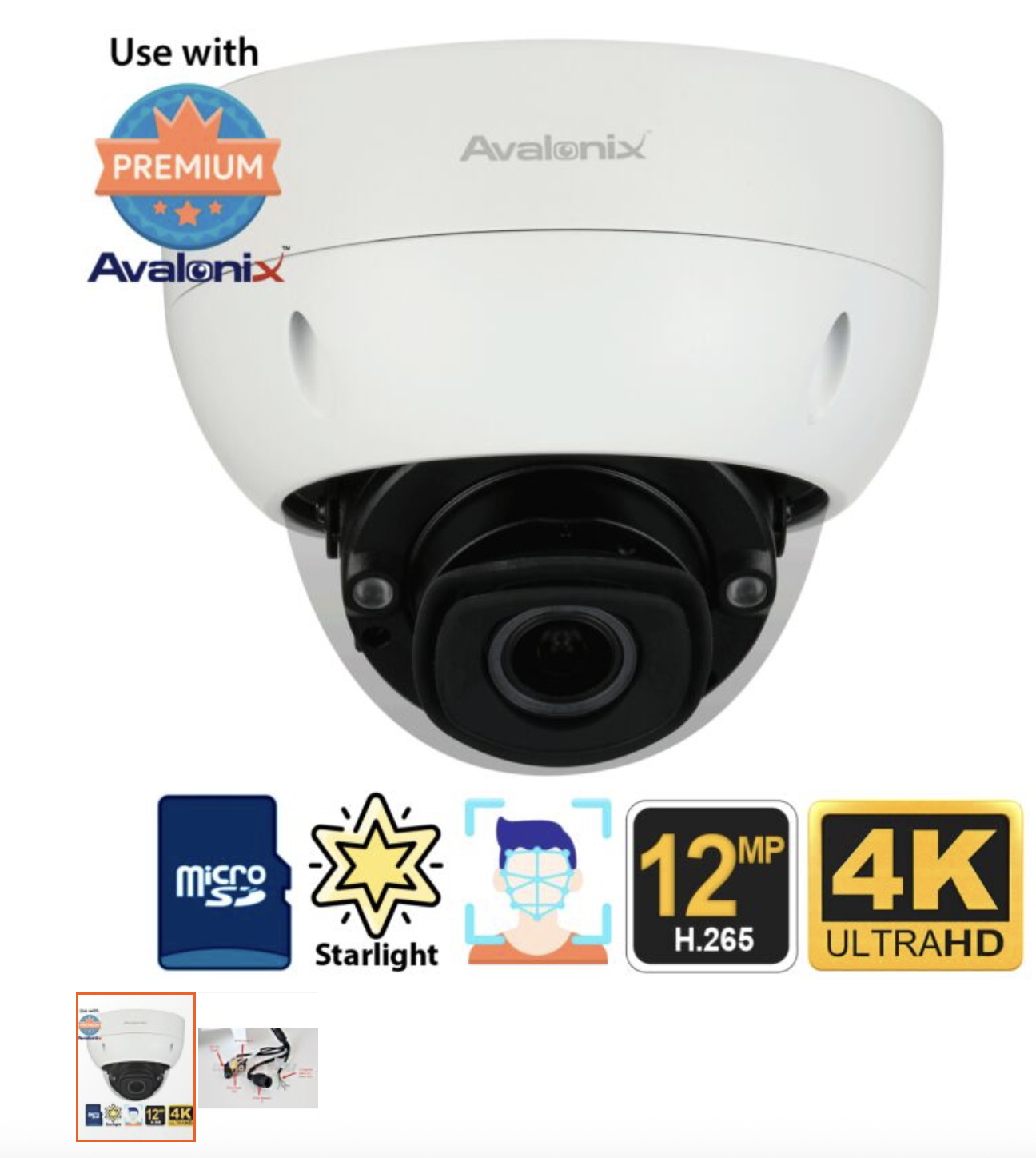
Avalonix 12MP Ultra HD IP Dome Camera, 4X Zoom
Price: $899.99
The Pros and Other Similar Characteristics:
- Best in class camera - 12 MP
- A little more rugged for outdoors
The Cons:
- Not as good zoom, but for the “zoom” you might need could be offset by powerful 12 MP Camera
- Still be able to stream, but might have to go through some software of which there are plenty of options, some free.
- Price still high
More Specs (if you want them)
- 12MP Starlight Sensor
- H.265 and H.264 Video Encoding
- H.265+ scene adaptive video encoding allows up to 70% in bandwidth savings over H.264
- Real Time 12MP 30fps Video
- Triple Video Streams: Main Stream, Sub Stream 1, Sub Stream 2
- 4X Optical Zoom Motorized Zoom Lens (2.7-12mm)
- Variable Zoom: 103° - 44° Angle of View
- Starlight technology to see in color in very low light
- 131ft Max Night Vision - camera switches to black and white in complete darkness
- Facial / License Plate Detail up to 134ft with lens set at 12mm, 44 degree angle of view1
- Facial / License Plate Detail up to 70ft with lens set at 2.7mm, 103 degree angle of view1
- Camera usable for plate capture in well lit conditions while the vehicle is still
- DWDR for glare compensation
- Smart Scene Adaptive technology automatically adjusts exposure settings for the best view
- Intelligent video analytics when used with CCTV Camera World's cameras with Smart
- Detection features2
- Face Recognition
- Face Detection
- People Counting
- Tripwire
- Intrusion
- Abandoned Object Detection
- Missing Object Detection
- Remote viewing over internet via Smartphone, Tablet, or PC/MAC
- MicroSD card slot supports up to 256GB
- IP67 Weatherproof for indoor or outdoor use
- IK10 Impact Resistant and Vandal Resistant
- Corrosion Resistance
- Audio Line-in and Line-out for use with our two-way audio kit for security cameras
- Support external Alarm integration: 1 channel in/out
- PoE+ or extended PoE
- ONVIF Support for Profile S, G, T
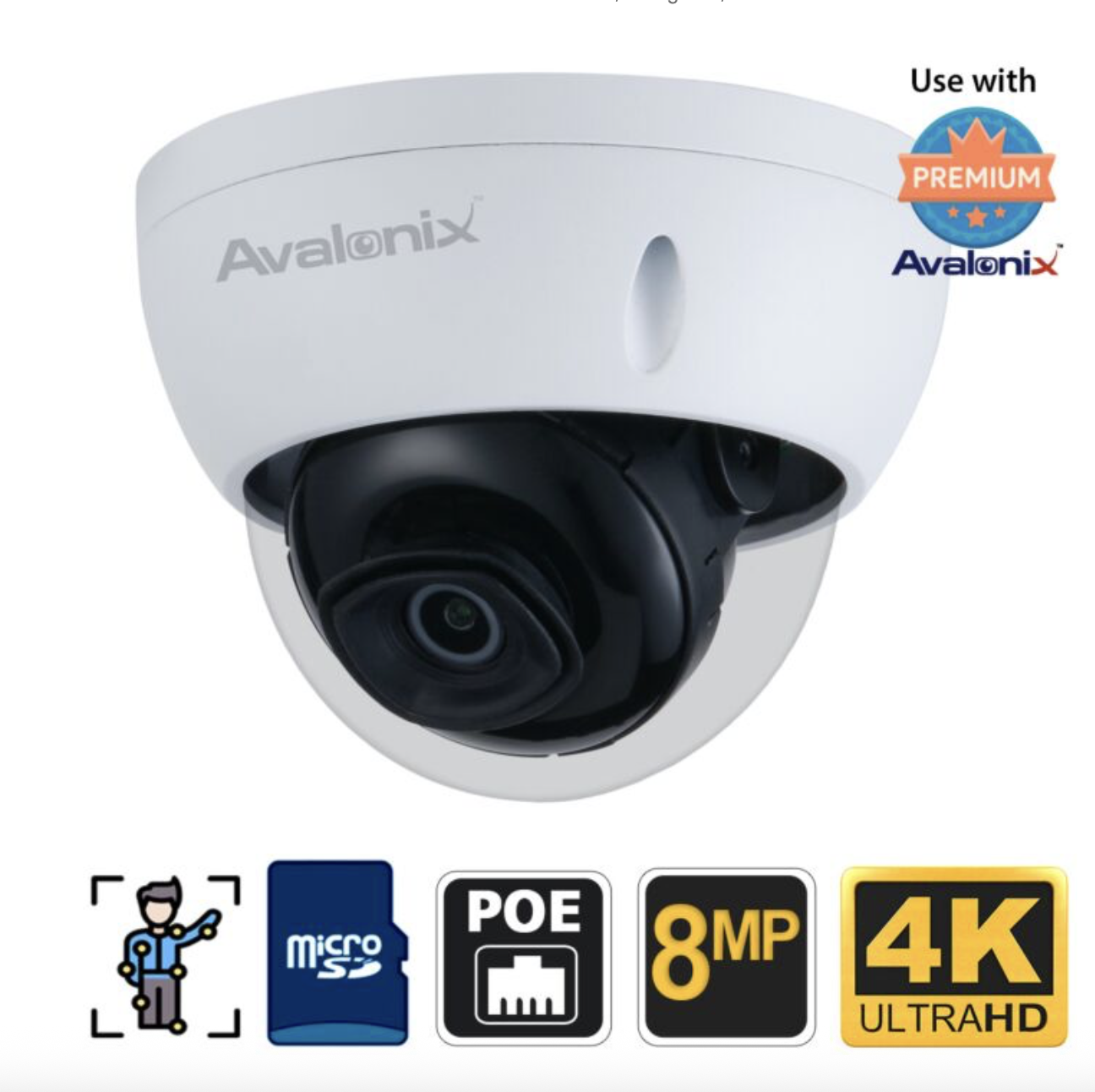
Avalonix Ultimate 4K IP Camera Dome
Price: $299.99
The Pros and Other Similar Characteristics:
- More budget friendly
- 8 mp, 4k, 30 fps
- PoE/power adapter
- External Microphone capable
- Quick streaming setup
- Managed through web browser or iPhone and Android apps
- Rugged weatherproof and defog
The Cons:
- 16x Digital zoom
- No Pan-Tilt
- 10 max simultaneous streaming (not a real dealbreaker)
More Specs (if you want them)
- 4K IP Camera Dome with Starlight Video Technology
- See in color in low-light
- 8MP Image Sensor
- Up to 4K Video Resolution 3840x2160 pixels
- Selectable video recording quality
- 20fps 4K with Smart Detection
- 30fps 4K without Smart Detection
- H.265+, H.265, H.264+, H.264
- H.265+ Provides up to 70% in bandwidth savings compared to H.264
- Triple Video Streams
- True WDR, 3D Noise Reduction, Back Light Compensation
- Day & Night IR Cut Filter
- 3.6mm Fixed Lens - 85° Angle of View
- 100ft Max Night Vision
- Livestream video to Twitch
- Video Analytics
- Tripwire
- Intrusion
- Smart Motion Detection (SMD) for Vehicle and Human Motion Filter
- Usable with NVR recorder, PC Windows Software, or Mobile Applications
- Weather proof IP67 for outdoor use
- IK10 Impact and Vandal Resistant
- Indoor / Outdoor use
- MicroSD card slot supports up to 256GB
- Accepts PoE, 12V DC Power
- ONVIF Support
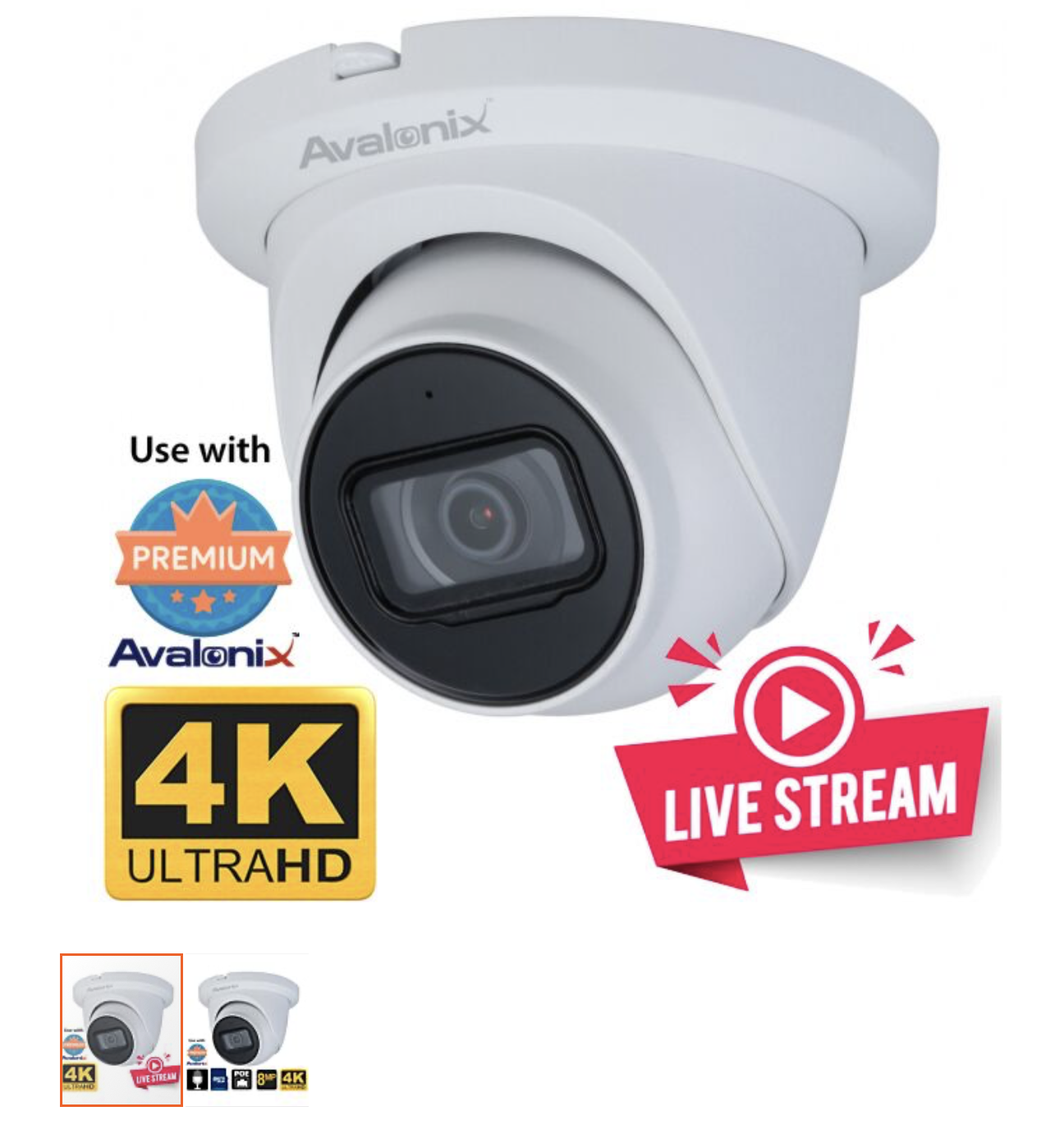
4K Live Streaming Camera
Price: $549.99
The Pros and Other Similar Characteristics:
- 8 mp, 4k, 30 fps
- Quick streaming setup
- Rugged weatherproof, PoE
- NVR capable, but also management through web browser, iPhone, and Android
- 20 max simultaneous streaming
The Cons:
- Not as good zoom, but for the “zoom” you might need could be offset by powerful 12 MP Camera
- Still be able to stream, but might have to go through some software of which there are plenty of options, some free.
- Price still high
More Specs (if you want them)
- 8MP Image Sensor delivers UltraHD 4K video that is 4 times the detail of 1080P
- Up to 40ft of facial detail at 87 degree angle of video1
- Up to 100ft of IR night vision provided by two IR LEDs2
- Starlight Video allows the camera to see in color in low-light3
- Day & Night Switching (color vs black & white) in complete darkness
- H.265 and H.264 Video encoding
- H.265+ provides up to 70% in bandwidth savings over H.264
- Triple Video Streams: Main Stream, Sub Stream
- Video Analytics features when used with our 4K NVRs
- Built-in Microphone for up to 30ft of audio pickup range4
- Advanced Image Features: WDR / BLC / HLC / 3DNR
- Live Stream without subscription fees to YouTube, Vimeo, Twitch
- Ceiling and wall mountable
- Easy to angle turret dome style to point in virtually any direction when mounting
- Easy PoE connectivity to send video/power/audio over one CAT5e cable up to 300ft
- Internal MicroSD support up to 256GB (optional factory installed)
- Records to NVR, Computer, NAS, FTP, or internal MicroSD
- View from NVR, Web Browser, Smartphone or Tablet
- IP67 Weather Proof5 - Safe to use outdoors or indoors in cold or hot weather
- Metal construction
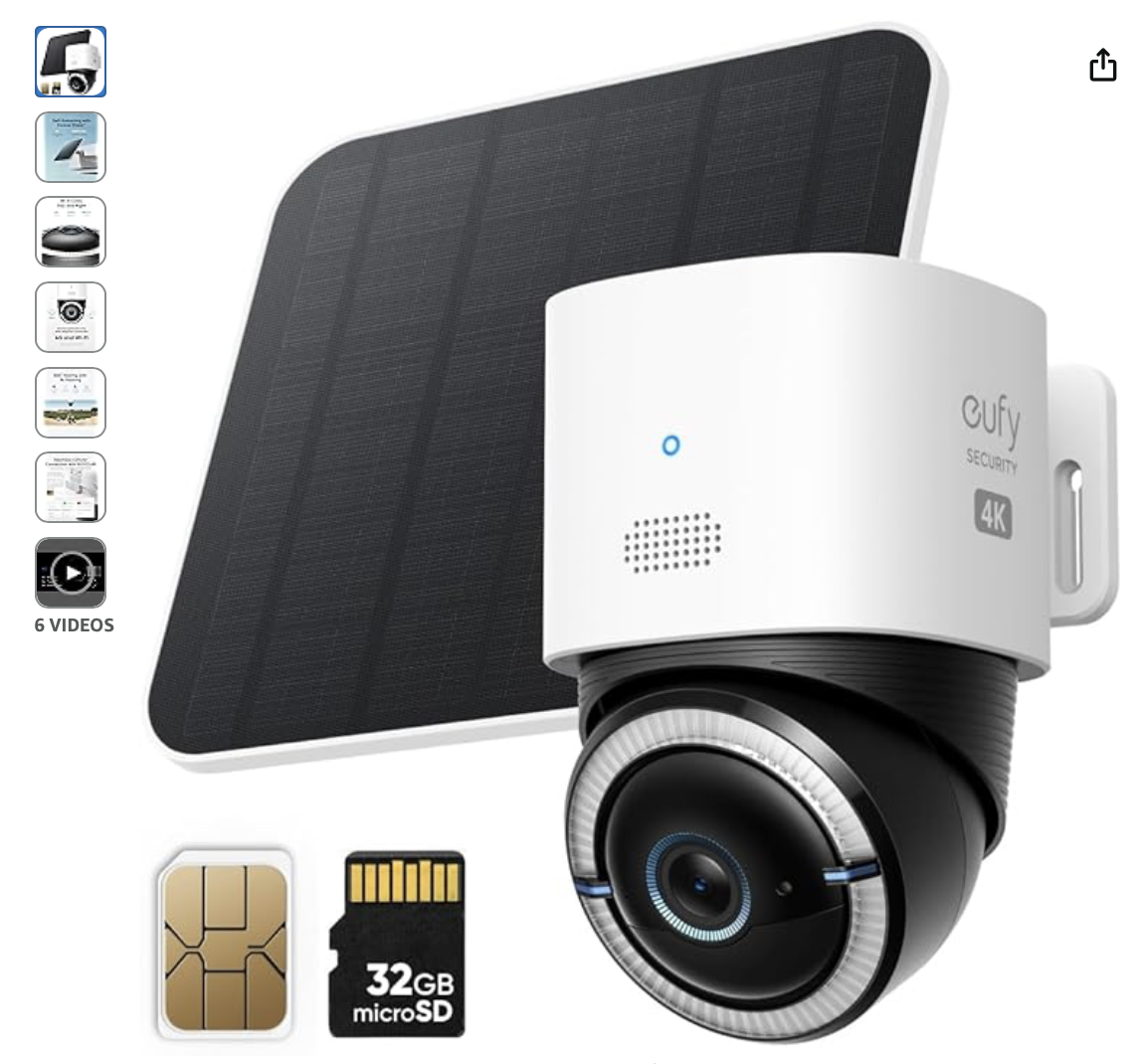
eufy 4G lte wifi dual mode with solar panel
Price: $199.99
The Pros and Other Similar Characteristics:
- 4k, 30 fps
- Automatic switch between WiFi/Cellular - for strongest connection
- Solar Panel
The Cons:
- No Pan-Tilt
- Rechargeable battery might only work with Solar Panel
- Built-in Mic (pro/con)
- Need to use Eufy software to manage, and only has iPhone/Android apps
- Will need Eufy HomeBase device for recording which only used when on WiFi, but does enhance WiFi connectivity range
- Not as rugged, but can still use outdoor
- Unsure if 4 or 8 mp
More Specs (if you want them)
- Forever Power: Empower your viewing to go anywhere you desire. Enjoy off-the-grid freedom with the upgraded solar panel and a powerful 9,400 mAh battery.
- Seamless Connectivity with 4G and Wi-Fi: The Dual-Mode technology of eufy 4G LTE Cam S330 Ultimates security with uninterrupted access compared to traditional cellular no wifi cameras. If Wi-Fi signal is lost, the auto-switching 4G feature swaps to mobile data. Guaranteeing continuous use.
- Works with EIOTCLUB to Automatically Switch to the Strongest Network:eufy 4G LTE Cam S330 includes an EIOTCLUB SIM card, which is compatible with the three major U.S. networks: AT&T, T-Mobile, and Verizon. For consistent, reliable coverage, we recommend using the provided EIOTCLUB SIM, which supports cross-network roaming to connect to the strongest signal automatically. If you prefer using SIMs from AT&T, T-Mobile, or Verizon, please ensure they are data-only plans.
- 4K in Color, Day and Night: The color 4K camera gives you the clarity to identify a license plate 30 feet (10 meters) away. Shine a light on your surroundings with the 100-lumen spotlight to continue seeing colorful details up to 26 feet (8 meters) away, all through the night.
- 360° Viewing with AI Tracking:All-around viewing with pan and tilt. AI detects and tracks people, and vehicles, with an extensive range of motion.
Avalonix 4K IP Dome Camera, Vandal Resistant, 5X Zoom
Price: $299.99
The Pros and Other Similar Characteristics:
- 4k, 8 mp, 30 fps, PoE/Power adapter
- Great rugged weatherproof
The Cons:
- 5x Optical zoom (although a little better than just digital zoom)
- No Pan-Tilt
- No WiFi
- Needs NVR software (will allow to view in browser or apps)
- Built-in mic
More Specs (if you want them)
- 8MP Video Sensor for Ultra HD 4K Video
- H.265 and H.264 Video encoding
- H.265+ provides up to 70% bandwidth and storage savings over standard H.264
- Facial Detail up to 130ft with lens set at 13.5mm, 31° angle of view1
- Facial Detail up to 50ft with lens set at 2.7mm, 113° angle of view1
- 2.7-13.5mm Motorized Zoom Lens controllable from NVR, Smartphone, or Computer
- 130ft of Infrared Night Vision2
- Low Lux Sensitivity for color video with minimal ambient light3
- Auto Day & Night Technology for seamless transition between color and B/W
- Two Video Streams: Main Stream, Sub Stream
- Video Analytics with compatible 4K NVRs: Tripwire, Intrusion Detection
- Vandal Resistant discreet design for mounting on ceiling or under eaves
- Ceiling or Wall mountable, optional junction box, pole, and arm mounts available
- Recessed ceiling mountable with optional in-ceiling mount (sku JB200C)
- Two Way audio function to allow conversation with person at camera
- Audio Line-in and Line-out for use with our two-way audio kit for security cameras
- Alarm in/out connections
- PoE for single-cable installation
- Internal MicroSD support up to 256GB (optional)
- Records to NVR, Computer, NAS, FTP, or internal MicroSD
- View from NVR, Web Browser, Smartphone, or Tablet
- IP67 Weather Proof4
- Metal construction
- PoE or 12V DC Input
- ONVIF Support
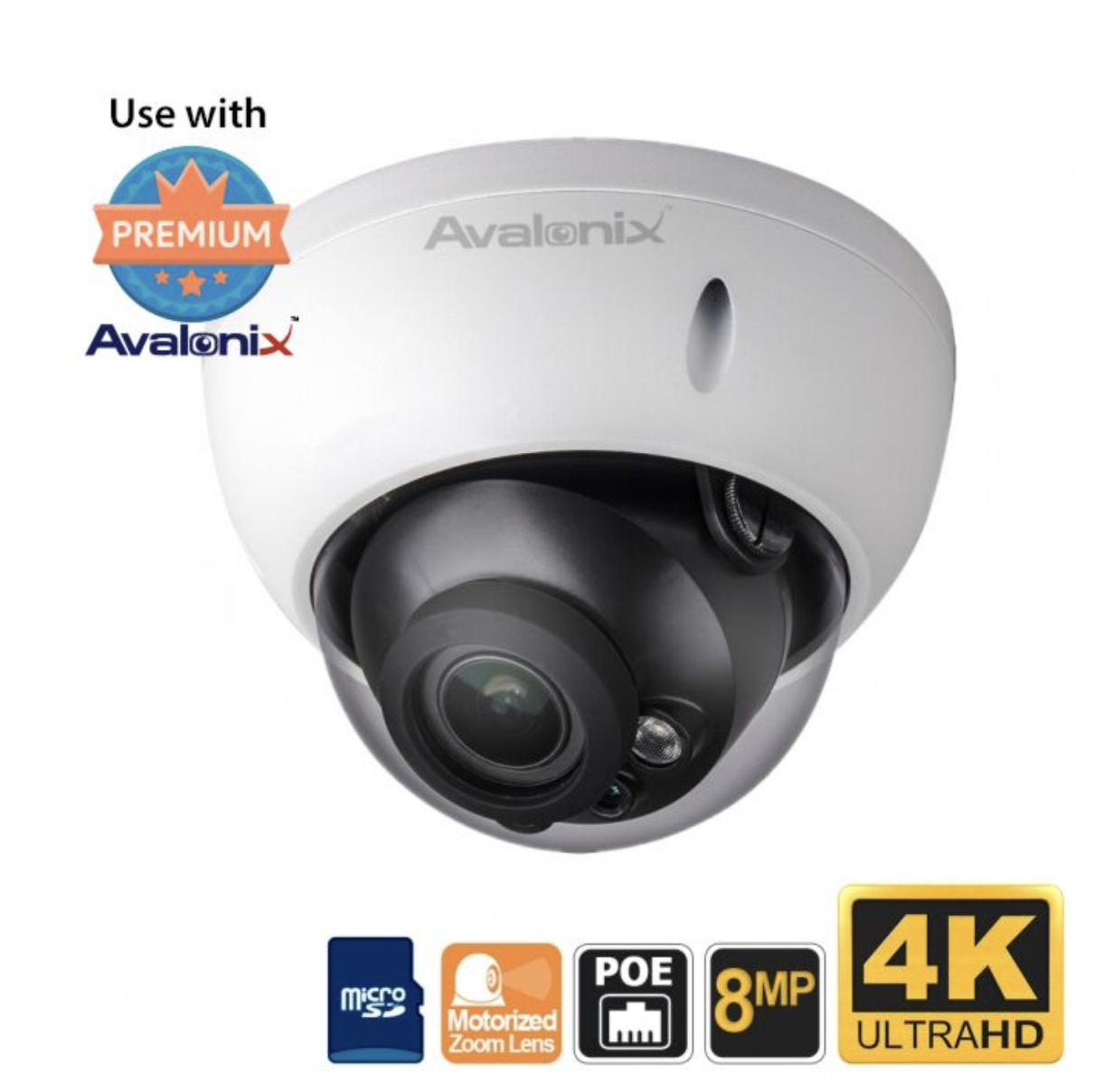
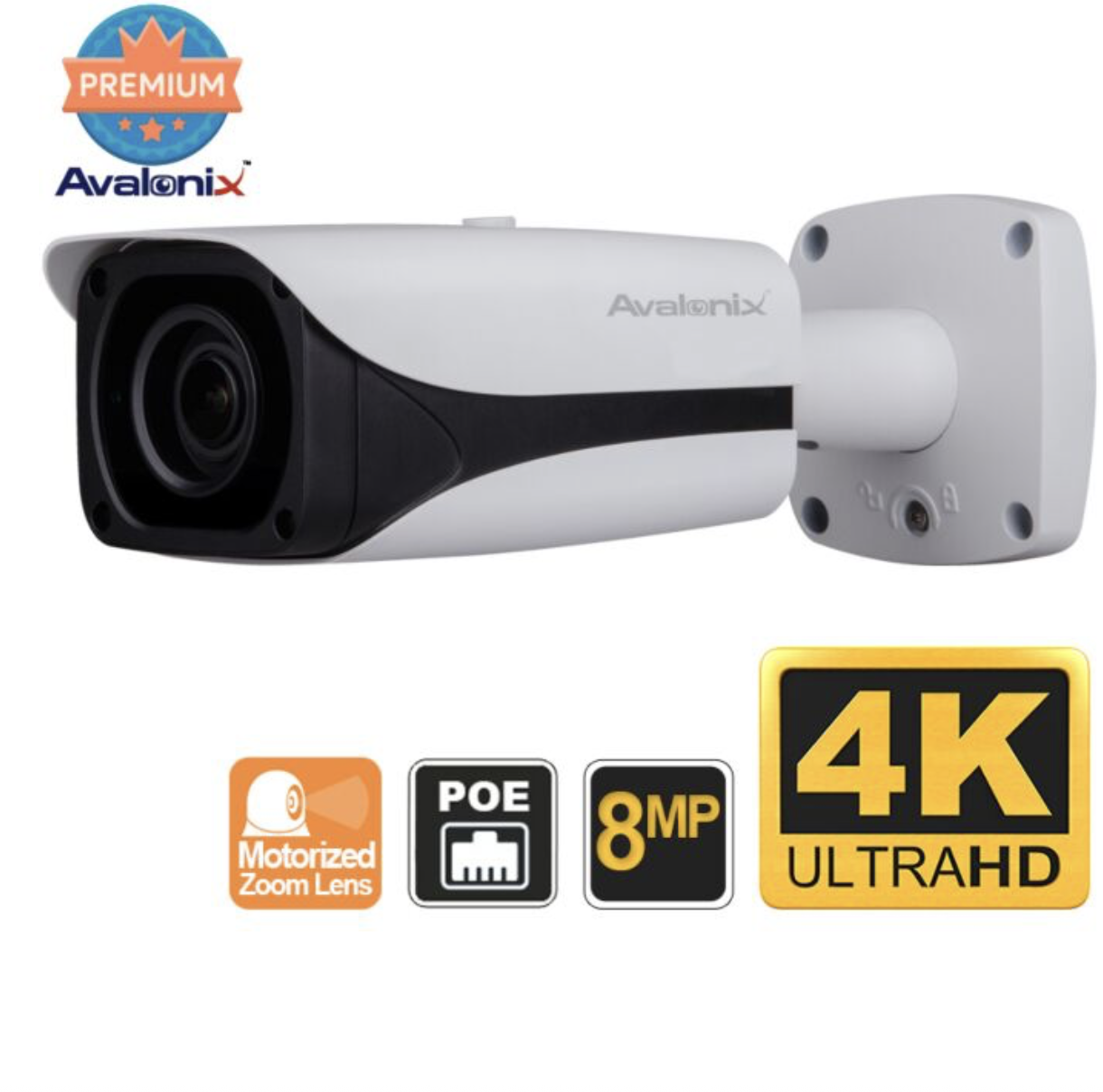
Avaloni 4K Long Range 7-35mm lens
Price: $749.99
The Pros and Other Similar Characteristics:
- 8 mp, 4k, 30 fps, PoE/Power Adapter
- Long distance optical zoom with 16x Digital zoom
- External mic capable
- Rugged weatherproof
The Cons:
- No Pan-Tilt
- Will need some NVR software for management on web browser or mobile apps
- 10 simultaneous streaming
- Price
*A quick note on why this was included. It is kind of a "if all else fails" kind of recommendation. I figured the powerful zoom might allow the camera to be closer to power and network, or it could just be used for a different project to get really close and focussed on something or an object far away. There could be something in the mountains across the river valley that is public land. Just ensuring that there are other different form factors than the kind most of my recommendations became.
More Specs (if you want them)
- Audio Line-in
- 8MP progressive scan CMOS Image Sensor for 4K video that’s 4 times clearer than 1080P
- H.265 and H.264 Video encoding
- H.265+ provides up to 70% in bandwidth savings over H.264
- Facial detail beyond 250ft when zoomed in all the way1 (35mm setting)
- Infrared Night Vision up to 328ft provided by four high-powered IR LEDs2
- 7mm-35mm Motorized Zoom varifocal lens, accessible from NVR, Smartphone, or Computer
- 0.05 Low Lux Sensitivity allows camera to see in color with little ambient light3
- Auto Day/Night Switching Technology to switch to black & white in total darkness
- Three Video Streams - Main Stream, Sub Stream 1, Sub Stream 2
- Video Analytics features: Tripwire, Intrusion, Abandoned/Missing Object
- Advanced Image Features: DWDR / BLC / HLC / AGC / 3DNR
- Multiple White Balance modes: Auto/Natural/Street Lamp/Outdoor/Manual
- Plug and Play PoE connectivity to send video/power/data over one CAT5e cable up to 300ft
- User installable internal MicroSD support up to 128GB (optional)
- Records to NVR, Computer, NAS, FTP, or internal MicroSD
- View from NVR, Web Browser, Smartphone or Tablet
- IP67 Weather Proof4 - Safe to use outdoors or indoors in cold or hot weather
- Metal construction
- Pole, ceiling, and wall mountable
- PoE or 12V DC Input
And the Microphone
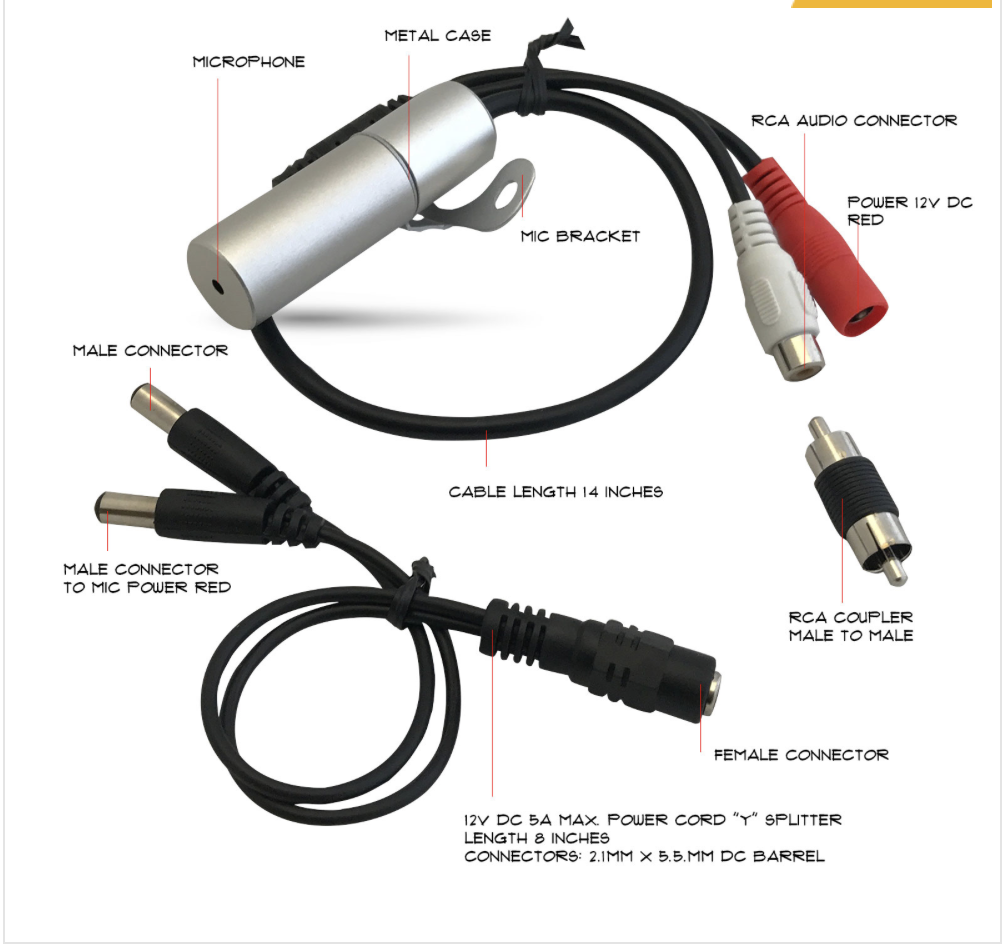
M7WP-MIC waterproof outdoor Microphone
Price: $24.99
The Pros:
Basically only microphone I could find that appears durable enough for outdoors. Has directional so can keep it pointed towards target to help keep out unwanted surrounding noises but still capture more “nature” sounds.
The Cons:
Has to connect to Audio in/out of a camera. May require a separate power source.
NOTE: Whether a "Por or Con," you have to ensure that all legal quesitons about privacy, and/or laws, has been addressed.
More Specs (if you want them)
-
M7WP-MIC Microseven waterproof outdoor Microphone - An IP Camera External Microphone This microphone should work in any environment
-
If you convert RCA to 3.5mm you can use a converter B077PXSPGM
-
If the receiver is analog, you must need an amplifier box. Then you can hear the audio from a speaker. If the receiver is digital, you need an analog to digital converter
-
Usually we use a computer or a camera. Then you can use a phone and computer to listen to the audio from the microphone
-
Advanced professional environmental sounds digital microphone, pinhole design, and hidden installation
-
It is high sensitivity, high bandwidth, and noise proof. It covers the listening area of 375 sq ft / 35 square meters.
-
It has been used ear handle removable surface annular rib design, easy to wear tube wall installation.
-
There are built-in digital voice processing circuits and micro-processing chip, 0.8mm pinhole design principle used to accurately calculate of the sound reflection angle.
-
There is automatic suppression of the high-intensity sound, reliable protection for the back-end audio surveillance equipment
-
Integrated professional pre-amplifier, microphone head can directly drive active speakers, hard disk recorders, tape recorders and so on
-
Listening area 108 sqft - 375 sqft
-
Audio transmission distance 3000 m
-
Frequency response 20Hz ~ 20kHz
-
Sensitivity -47dB
-
Signal to Noise Ratio 50dB (40 dB sound source 1 meter) 30dB (10 meters 40 dB sources) 1KHz at 1 Pa
-
Directivity omnidirectional
-
Dynamic Range 80dB (1KHz at Max dB SPL)
-
Maximum sound pressure 120dB SPL (1KHz, THD 1%)
-
Output impedance 600 ohms non-equilibrium
-
Output signal amplitude 2.5Vpp/-25db
-
Microphone Customized omnidirectional capacitor microphone
-
The ordinary four-core telephone wire, category 5 network twisted pair, and shielded cable can be used. Microphone head has built-in lightning protection, power supply polarity reversal protection. Integrated professional built-in preamplifier circuit, no adapter
-
Supply voltage 8V-20V DC (recommended to use 12V, greater than 500 m recommended 15V)